What is a proactive greeting
A proactive greeting is a feature that detects visitor behavior and has the agent start the conversation. Instead of waiting for the visitor to click the chat button, the agent speaks up in defined situations, the way a store employee greets a customer.
There are two kinds of messages. Greetings respond to the visit itself, and other messages respond to cursor movement. Pop-ups do not appear at random. Both the situations and the number of times are defined.
Four greetings
Greetings go out on all three channels and also appear on mobile.
| Greeting | Trigger condition | Example text |
|---|---|---|
| First greeting | 3 to 7 seconds after entering the page | 👋 Hi there! |
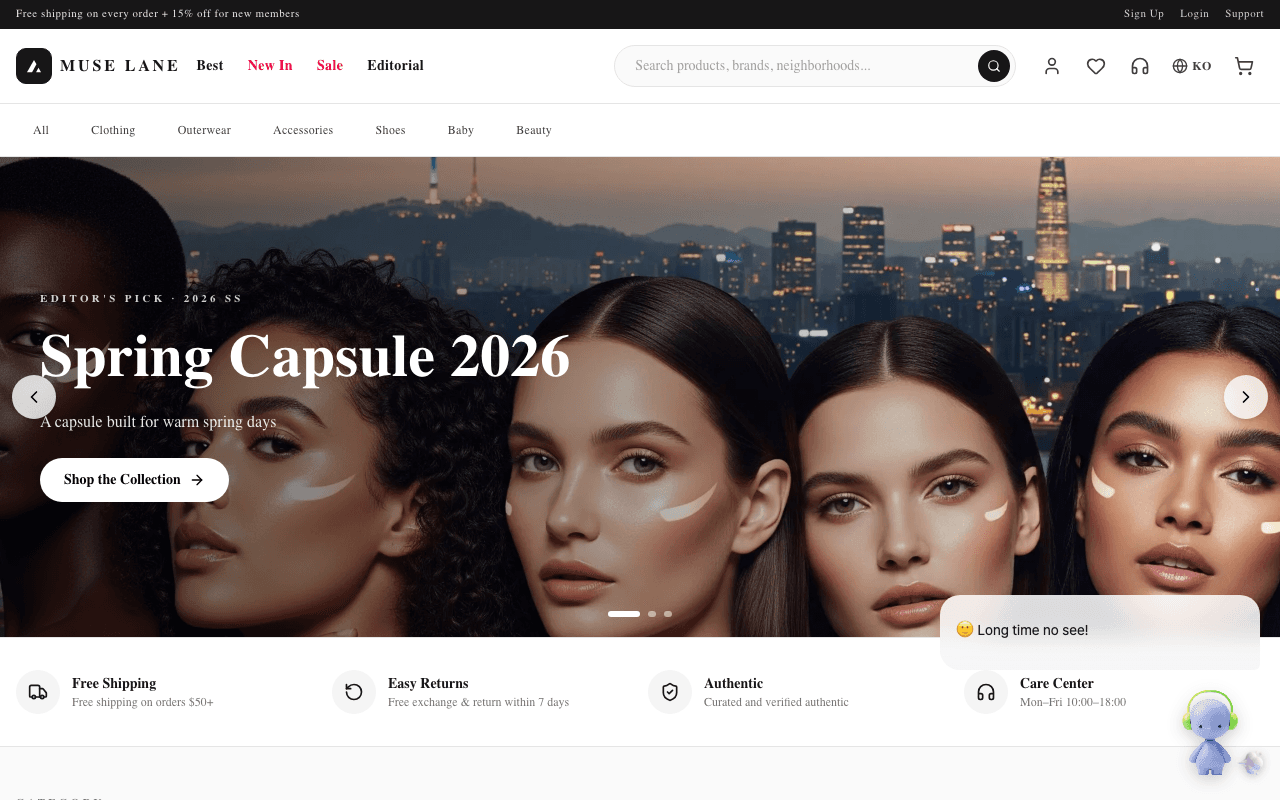
| Return greeting | Has visited before and at least one day has passed since the last visit | 🙂 Long time no see! |
| Farewell | On desktop, the cursor leaves the top edge of the screen | 🥺 Leaving already? |
| End of journey | On mobile, scrolls to the bottom of the page and stops | 🙌 You made it to the end! |
If the visitor scrolls a lot or clicks before the first greeting goes out, the greeting is canceled. Greeting a visitor who has already started doing something is a distraction.
Messages that respond to the cursor
These work only on desktop. The widget looks at which element the cursor rests on and for how long, and picks a message that fits the situation.
| Situation | Trigger condition | Example text |
|---|---|---|
| Looking at an image | 1.5 seconds over an image or video | Like this one? Want me to show you more about it? |
| Looking at an image for a long time | 3 seconds or more in the same spot | You've been looking for a while! Want something to help you decide? |
| Hesitating over a close button | Enters a close button | Leaving already? Was there something specific you were after? |
| Over a button | 1.2 seconds over a button or link | Great choice! No rush, take your time :) |
| Over a likely button | Over an element that looks like a button | Want to know more? I can sum it up for you. |
| Stuck on an input field | 5 seconds or more over an input field | Stuck on a field? I can help! |
| Over a large heading | 1.5 seconds over a heading | Curious about this part? Want me to explain more? |
The agent does not speak again about an element it has already responded to, and it waits 20 seconds before the next message. A cursor just passing over does not count. Timing starts only after the cursor pauses in one spot.
Rules that prevent overexposure
There is a cap on how often the agent speaks up. Past that cap, visitors take it as a distraction rather than help.
| Rule | Details |
|---|---|
| Once per visit | The greeting does not repeat within the same visit, even when moving between pages |
| 3 times in 24 hours | The same visitor receives at most 3 greetings a day. The farewell does not count toward this |
| 30 minutes away is a new visit | If the visitor leaves a tab open and returns after 30 minutes or more, it counts as a new visit. Earlier messages collapse under "Show N earlier messages" and the greeting goes out again |
| 3 ignored | If a visitor ignores greetings three times in a row, the agent stops speaking up for 24 hours. The count resets when the visitor clicks the character or sends a message |
| Paused while answering | The agent does not speak up while generating an answer or right after one |
| No repeated text | The same text is not used again within 30 minutes |
The messages live inside the widget
Proactive messages are chosen from a list built into the widget. The widget does not ask the server, so there is no delay and no tokens are used. The messages come in Korean and English, and visitors in any other language see English.
When a visitor replies, the persona starts answering from registered knowledge. Tokens are deducted from this conversation onward.
Reactions tied to features turned off in widget settings do not fire. The four greetings always go out regardless of settings. To turn off all cursor reactions, turn off hoverDetection at installation.
Long press on a product
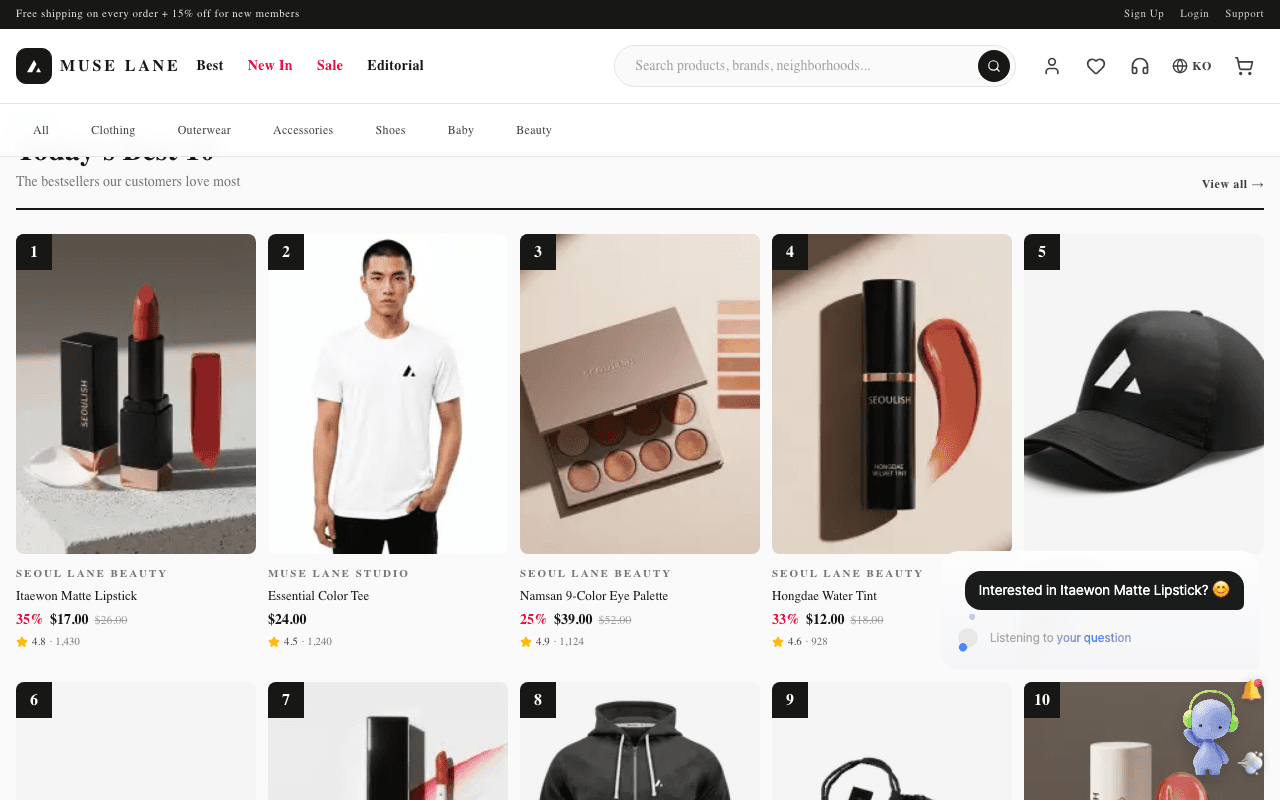
In a directly installed widget, turning on productPress makes the agent bring up a product when a visitor long-presses it or rests the cursor on it for a while. The default is off.
| Action | Threshold |
|---|---|
| Touch long press | 0.55 seconds |
| Mouse hover | 0.9 seconds |
When the condition is met, "Interested in {product name}? 😊" appears, and the visitor can go straight on to ask about that product. The widget does not react to the same product again within 6 seconds, and does not react while an answer is being generated.
Next steps
- For the conditions an element must meet to be recognized as a product, see Preparing your site.
- For turning features on and off, see Widget settings and SDK reference.
- When the greeting repeats, see Repeated greeting.