The Cafe24 app offers a 7-day free trial starting right after installation. The trial is available once per store, and any trial tokens left after 7 days expire. When the trial ends, the widget may still appear in the store, but visitors who start a chat get only a notice instead of an answer.
How to fix
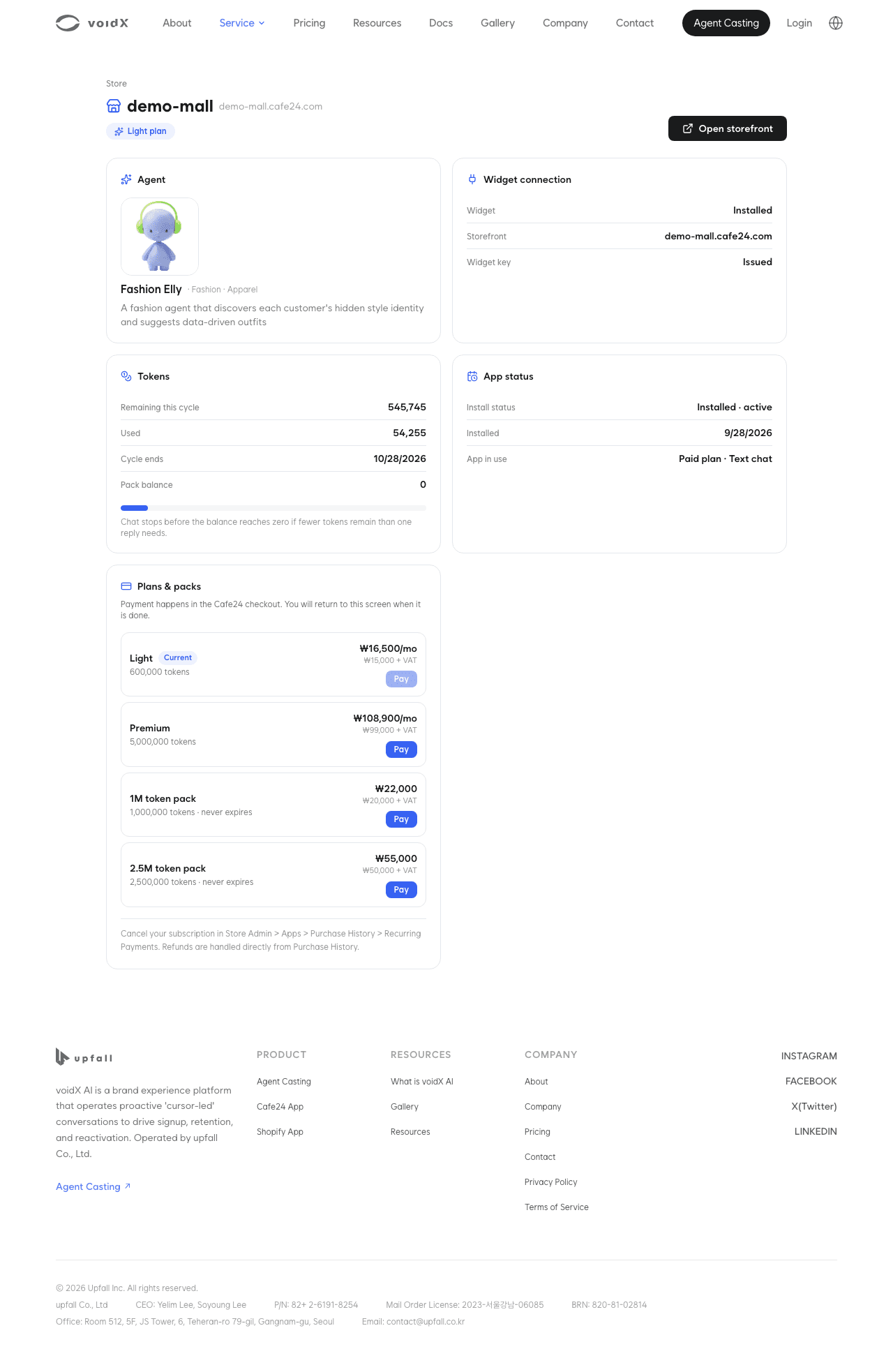
- In the Cafe24 admin, go to Apps > My installed apps > [Manage app] to open the store dashboard, and press "Show details" on the connection status sheet at the bottom and check that "Free trial" under "App status" shows "Completed". If chat stopped because the trial ended, the notice "Chat is paused: your free trial ended" also appears at the top of the dashboard.
- Check "available tokens" and "Remaining this cycle" on the "Tokens" card. Even with a balance left, chat stops first if fewer tokens remain than one reply needs.
- To keep using the app, pay for a paid plan. Light is KRW 15,000 per month and Premium is KRW 99,000 per month, excluding VAT. Pay with "Choose a plan" in the notice at the top of the dashboard, or "Subscribe" on the "Plans & packs" card. Tokens per plan are listed in Cafe24 paid app.
- After payment, refresh the dashboard to check that the app status and tokens are updated. If you see "Confirming your payment", refresh again after a moment. If the notice changes to "We couldn't confirm your payment", check your card limit or payment method and try again.
- If the widget still does not appear after payment, check the Cafe24 item in Widget not showing.
- If the issue persists, contact us with your store address, the time it happened, your browser, and a screenshot with "App status" expanded.